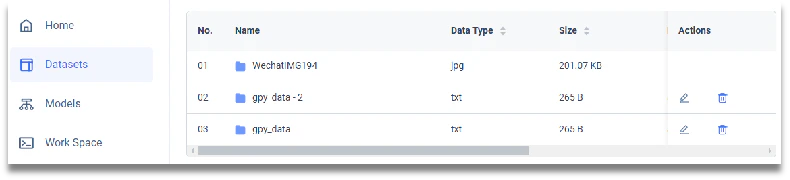
- From the dashboard, click [DATASETS] in the left menu, then click the button [Add new Dataset]. You will arrive on the dataset entry page where you can describe your data.

- You can drag and drop your data or use a file picker to select the datasets you want to upload. We support: TXT, XML, XLSX, CSV formats. Then click the files to Upload and confirm the Upload by clicking [Upload] button.
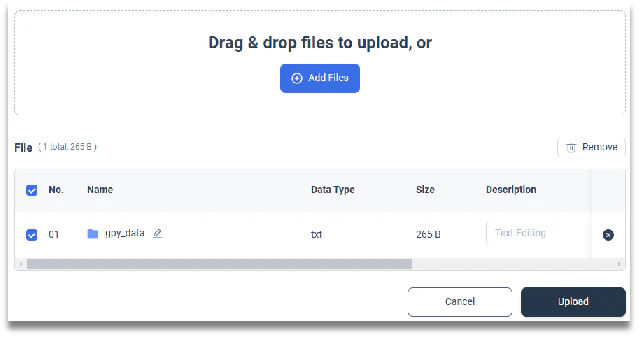
- You can update the description and visibility (public or private) of the data from the row directly. You can always change those later.

- Your data will then appear under the [DATASET] menu.